
[Solved-5 Solutions] Android Emulator: Installation error: INSTALL_FAILED_VERSION_DOWNGRADE
Error Description:
Android Emulator: Installation error: INSTALL_FAILED_VERSION_DOWNGRADE
Solution 1:
- If we have a version of an app on the device already, and there is a difference in the versions, ant/android gives a pretty cryptic error.
Installing app on device...

/Users/mhartington/GithubRepos/ionic/tmp/platforms/android/cordova/node_modules/q/q.js:126
                    throw e;
                          ^
ERROR: Failed to launch application on device: ERROR: Failed to install apk to device: 	pkg: /data/local/tmp/CordovaApp-debug.apk
Failure [INSTALL_FAILED_VERSION_DOWNGRADE]

ERROR running one or more of the platforms: Error: /Users/mhartington/GithubRepos/ionic/tmp/platforms/android/cordova/run: Command failed with exit code 8
we may not have the required environment or OS to run this project
- May be beneficial to provide a better error message for why install failed.
Solution 2:
- It means we're trying to install an app with the same packageName as an app that's already installed on the emulator, but the one we're trying to install has a lower versionCode (integer value for your version number).
- we might have installed from a separate copy of the code where the version number was higher than the copy we're working with right now. In either case, either:
- uninstall the currently installed copy
- or open up our phone's Settings > Application Manager to determine the version number for the installed app, and increment our
Solution 3:
- This can happen when trying to install a debug/unsigned APK on top of a signed release APK from the Play store.
H:\>adb install -r "Signed.apk"
2909 KB/s (220439 bytes in 0.074s)
        pkg: /data/local/tmp/Signed.apk
Success

H:\>adb install -r "AppName.apk"
2753 KB/s (219954 bytes in 0.078s)
        pkg: /data/local/tmp/AppName.apk
Failure [INSTALL_FAILED_VERSION_DOWNGRADE]
click below button to copy the code. By - Java tutorial - team
- The solution to this is to uninstall and then reinstall or re run it from the IDE.
Solution 4:
INSTALL_FAILED_VERSION_DOWNGRADE
- All Android apps have a package name. The package name uniquely identifies the app on the device. If same packageName as app that's already installed on the device then this errorShowing .
- we can uninstall the application from our device first and then install the fresh one .
- we could simply increase the number by one each time a new version is released.
Solution 5:
- we was having same problem.we was getting error when we tried to run in my android device not emulator.
sudo ionic run android
click below button to copy the code. By - Java tutorial - team
- we are able to fix this by running
adb uninstall com.mypackage.name
click below button to copy the code. By - Java tutorial - team
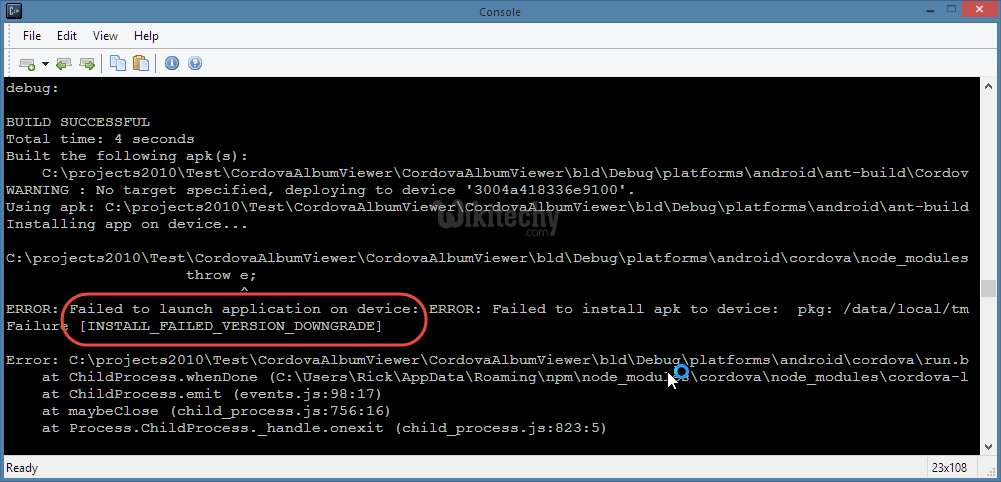
Learn java - java tutorial - java failure to launch - java examples - java programs