Ruby on Rails - Ruby on Rails - View MVC- ruby on rails tutorial - rails guides - rails tutorial - ruby rails
ruby on rails tutorial tags - ruby , rail , ruby on rails , rail forum , ruby on rails tutorial , ruby tutorial , rails guides , rails tutorial , learn ruby
Ruby on Rails - View - MVC
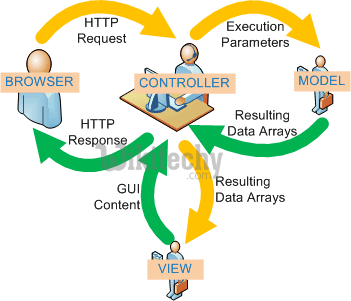
Ruby on Rails - View in mvc :
- Erb for ruby & html
- Hamlimproves on erb
- Textile for html
- Sass for css
#content
        .left.column
                %h2 Welcome to our site!
                %p= print_information
        .right.column= render "sidebar"
Clicking "Copy Code" button will copy the code into the clipboard - memory. Please paste(Ctrl+V) it in your destination. The code will get pasted. Happy coding from Wikitechy - ruby on rails tutorial - rails guides - ruby rails - rubyonrails - learn ruby on rails - team
 <div id='content'>
        <div class='left column'>
            <h2>Welcome to our site!</h2>
            <p><%= print_information %></p>
        </div>
        <div class="right column">
       <%= render "sidebar" %>
           </div>
    </div>
Clicking "Copy Code" button will copy the code into the clipboard - memory. Please paste(Ctrl+V) it in your destination. The code will get pasted. Happy coding from Wikitechy - ruby on rails tutorial - rails guides - ruby rails - rubyonrails - learn ruby on rails - team
ruby on rails tutorial tags - ruby , rail , ruby on rails , rail forum , ruby on rails tutorial , ruby tutorial , rails guides , rails tutorial , learn ruby
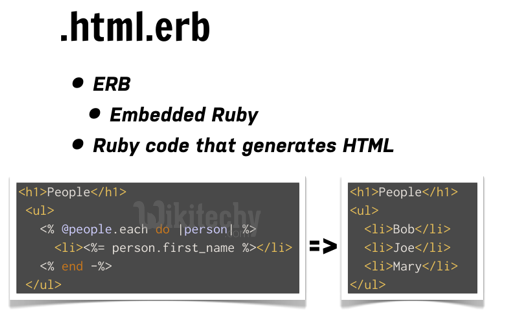
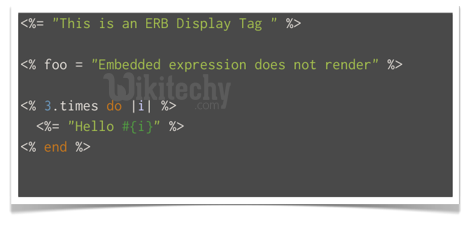
Ruby on Rails - Embedded Ruby - View in MVC :
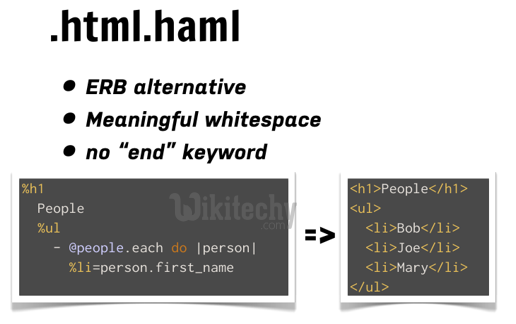
Ruby on Rails - Hypertext Abstraction Markup Language (HAML) - View in MVC :
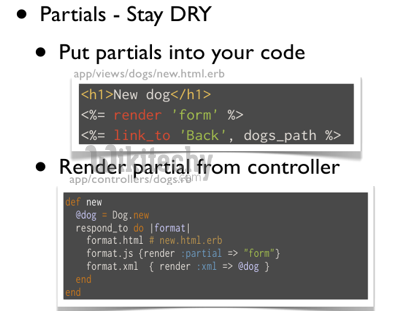
Ruby on Rails - Hypertext Abstraction Markup Language (HAML) - link_to - View in MVC :
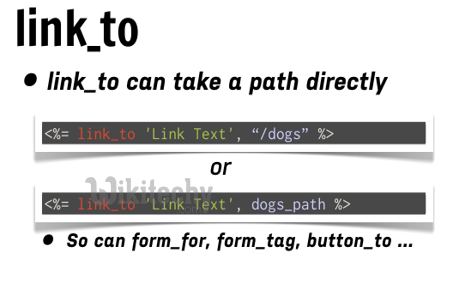
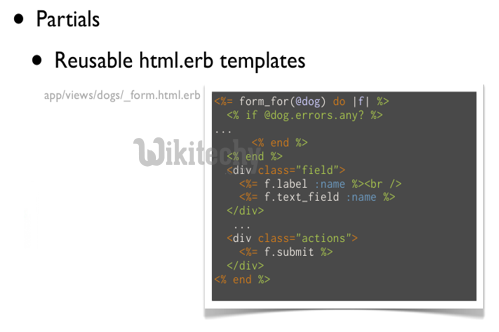
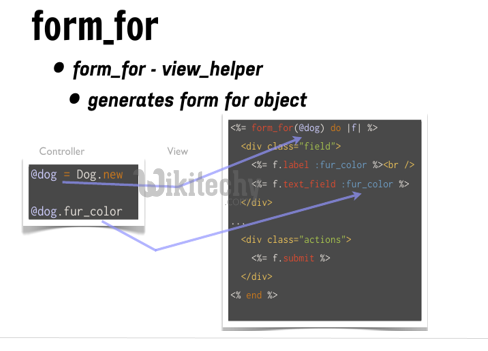
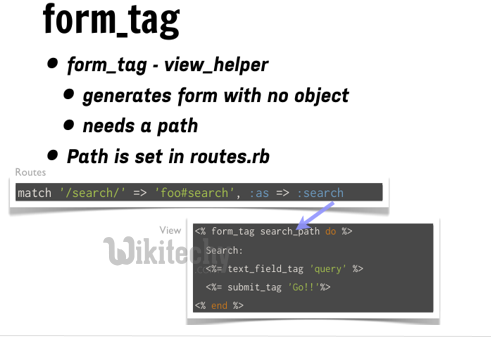
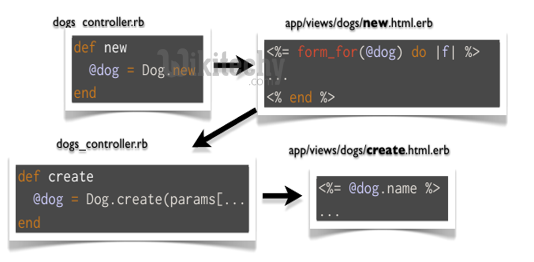
Ruby on Rails - rails form_for - haml - form_for - mvc - view:
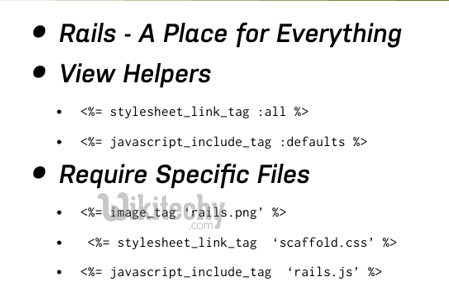
ruby on rails tutorial tags - ruby , rail , ruby on rails , rail forum , ruby on rails tutorial , ruby tutorial , rails guides , rails tutorial , learn ruby
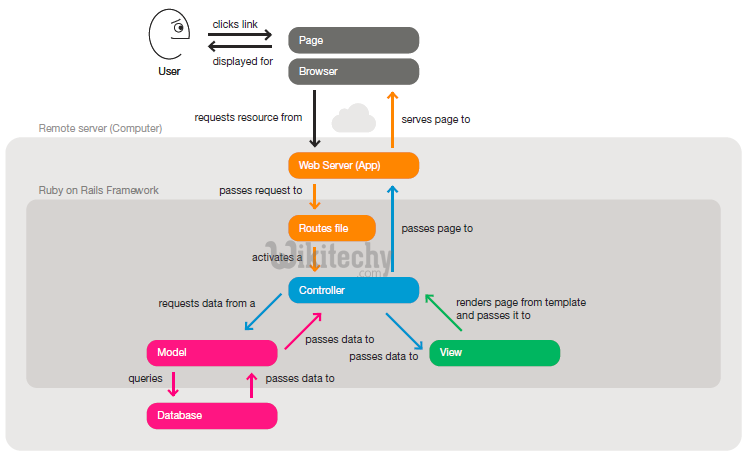
Web Application Process in ruby on rails - MVC web server access :
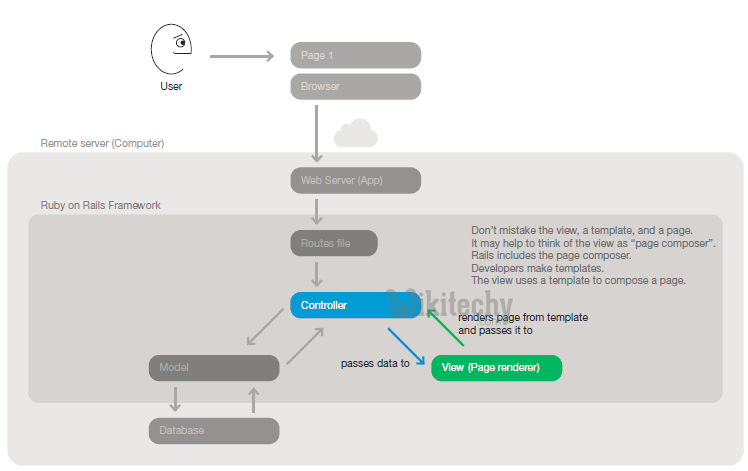
Step 1 : A user clicks a link to a page in a web application
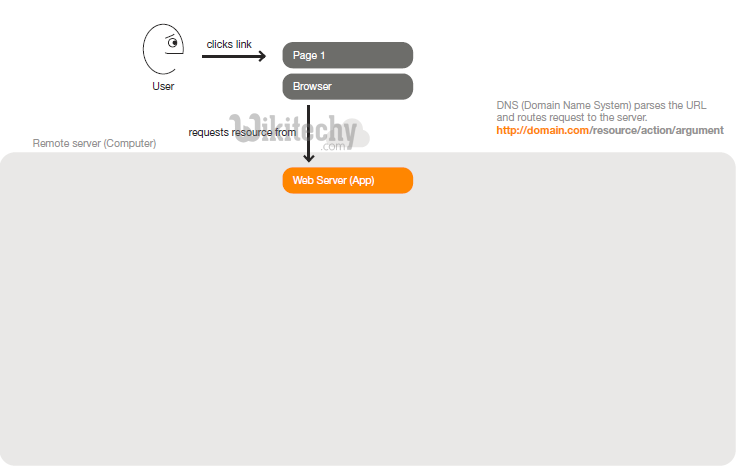
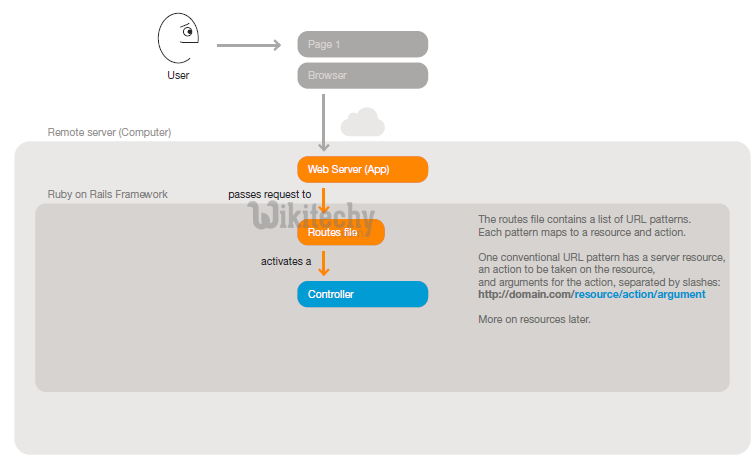
Step 2: The web server recieves the request URL (Universal Resource Location - Uniform Resource Locator). Rails uses a routes file to match the URL with a controller action.
Step 3: The invoked controller action requests data from a model. The model queries the database and hands data back to the controller
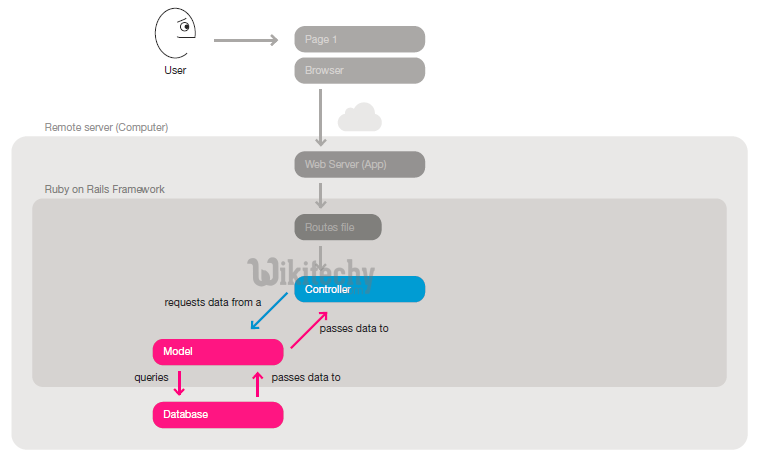
Step 4: The controller action then passes data to a corresponding view. The view uses the data and a template to compose a page.
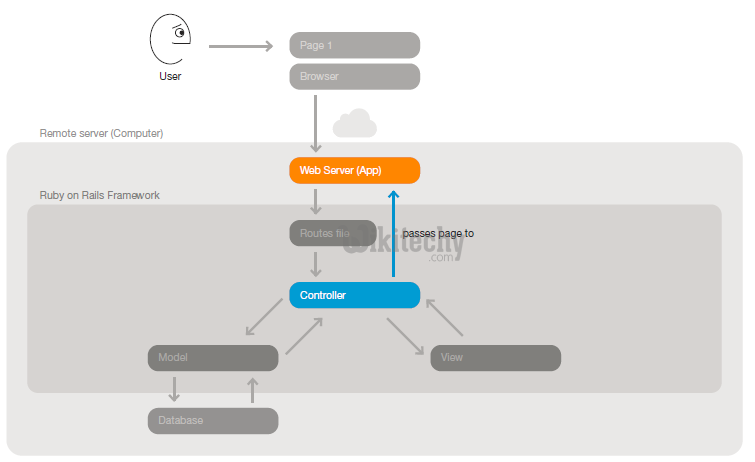
Step 5: The controller passes the complete page to the web server.
ruby on rails tutorial tags - ruby , rail , ruby on rails , rail forum , ruby on rails tutorial , ruby tutorial , rails guides , rails tutorial , learn ruby
Step 6: The web server serves the page to the browser. The browser renders the new page in place of the first one.
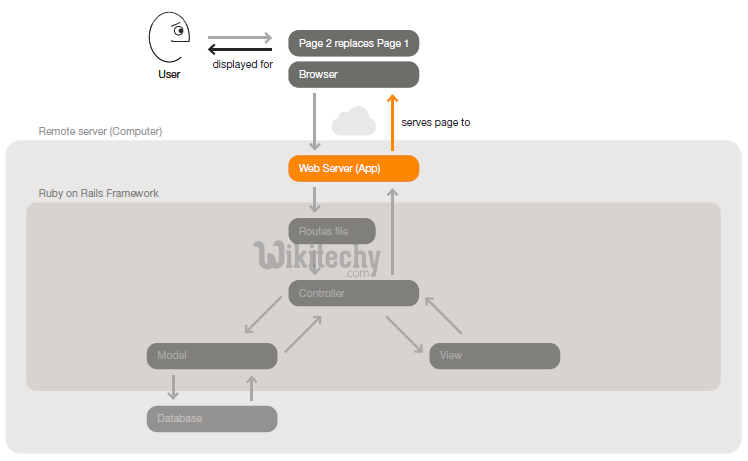
Step 7: Ruby on Rails provides a framework for this MVC flow. It enables developers to work on what makes their apps unique rather than spend time re-implementing conventions.